Garena Free Fire
Garena Free Fire is a free-to-play mobile battle royale game where players compete against opponents, collect weapons, explore different locations and fight to become the last survivor. With fast-paced matches, unique characters, different weapons and several gameplay modes, Free Fire offers an exciting experience for players who enjoy competitive mobile gaming.
Garena Free Fire
Whether you are new to the game or have been playing for years, understanding its features, characters, weapons and strategies can help you make better decisions during matches. From exploring the maps to choosing the right character abilities, there is plenty to discover in Garena Free Fire.
This guide covers the game’s main features, gameplay, characters, weapons, maps, download information, beginner tips and other useful details to help you understand the Free Fire experience.
What Is Garena Free Fire?
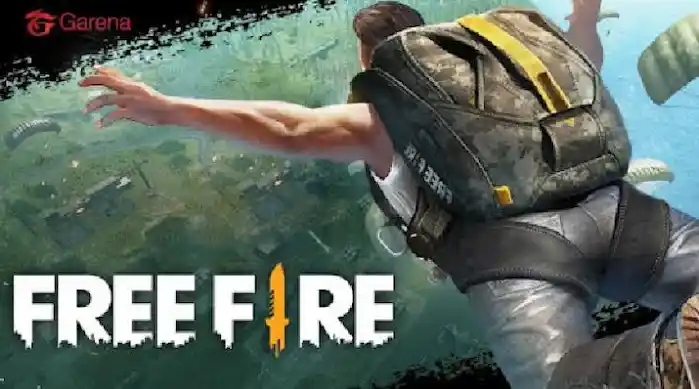
Garena Free Fire is an online multiplayer battle royale game developed and published by Garena for mobile devices. It focuses on survival, shooting, exploration and competition. Players enter a match, collect equipment, move through the battlefield and fight against other participants while trying to survive until the end.
One of the game’s defining characteristics is its short-match format. Its official website describes Free Fire as a free-to-play survival shooter with matches lasting around 10 minutes. This makes it suitable for players who want competitive gameplay without spending a long time in a single match.
Overview of Garena Free Fire
Free Fire combines several elements of mobile shooting games, including weapon collection, character abilities, tactical movement and team coordination. Players can choose different characters, explore available maps and select gameplay modes according to their preferences.
The game also includes customisation options such as character outfits, weapon skins, emotes and other cosmetic items. Some items can be earned through gameplay or events, while others may require in-game currency or purchases.
How Does Garena Free Fire Work?
In a typical Battle Royale match, players enter a large battlefield and search for useful equipment. They collect weapons, ammunition, protective gear and other supplies while moving between different locations.
As the match progresses, the playable area becomes smaller, encouraging players to move closer together. This creates more encounters and makes positioning increasingly important.
To survive, players need to:
- Choose suitable landing locations.
- Collect weapons and useful equipment.
- Watch the safe zone and plan their movements.
- Avoid unnecessary fights when poorly equipped.
- Use cover and positioning during combat.
- Adapt their strategy as fewer players remain.
The main objective is to survive and secure the final victory, commonly recognised in Free Fire by the term BOOYAH!
Why Is Free Fire Popular Among Mobile Players?
Free Fire brings together accessible mobile controls, relatively short matches, character-based gameplay and different competitive modes. Players can enjoy solo matches or cooperate with friends in team-based battles.
Its regular events, cosmetic collections and collaborations also provide additional activities beyond ordinary matches. However, the availability of particular events and rewards can vary by region and update.
Free Fire vs Free Fire MAX
Free Fire and Free Fire MAX are two versions of Garena’s battle royale experience. Both offer battle royale gameplay, characters, weapons and competitive activities.
| Feature | Free Fire | Free Fire MAX |
| Main experience | Battle Royale | Premium visual experience |
| Graphics | Standard visual presentation | Enhanced visual presentation |
| Effects | Standard effects | Improved visual effects |
| Device requirements | Generally less demanding | Generally more demanding |
| Gameplay | Core Free Fire experience | Core Free Fire experience |
Free Fire MAX is designed to provide enhanced graphics, visual effects and presentation. Garena also describes its Firelink technology as a way for MAX players to enjoy gameplay with other Free Fire players.
The better choice depends on your device capabilities and personal preferences. Players with less powerful smartphones may prefer the standard version if it performs better on their devices.
Garena Free Fire APK – Game Information
Free Fire APK is a term commonly used by Android users when referring to the game’s Android application package. An APK is an Android installation file that allows an application to be installed on a compatible device.
For most players, the simplest option is to download Free Fire through an authorised app store. If your device does not support the usual app stores, check Garena’s official download information to see whether an alternative official APK is available in your region.
What Is Free Fire APK?
An APK contains the application files required for installation on Android. It is not a separate game mode or an automatic upgrade to Free Fire MAX.
Players should be careful when searching for APK downloads because unofficial websites may distribute modified, outdated or unsafe files. An APK claiming to provide free diamonds, unlocked premium items or special abilities should not automatically be considered legitimate.
Free Fire App Information
| Information | Details |
| Game name | Garena Free Fire |
| Developer and publisher | Garena |
| Game category | Action / Battle Royale |
| Game type | Online multiplayer survival shooter |
| Main platform | Android and iOS |
| Business model | Free-to-play with in-game purchases |
| Gameplay | Shooting, survival and team competition |
Game versions, file sizes, supported operating systems and regional availability can change. Always check the current app-store listing or official Garena support information before downloading.
Supported Platforms and Device Compatibility
Free Fire is primarily designed for mobile devices. Its official FAQ identifies Android and iOS as supported platforms.
Android users can check the Google Play Store, while iPhone and iPad users should check the Apple App Store. Availability may vary according to region, device compatibility and store policies.
Some players use Android emulators to run mobile games on computers. However, emulator compatibility and support can vary. Check Garena’s current rules and the emulator’s compatibility before using one.
Free Fire Game Requirements
Your device needs enough processing power, memory and storage to install and run the game.
Garena publishes minimum and recommended device requirements through its support centre. These specifications can change, so check the latest official information rather than relying on old APK websites.
Before installation, make sure that:
- Your operating system is supported.
- Your device has sufficient free storage.
- Your internet connection is stable.
- Your device can run the current game version.
- You have downloaded the application from an authorised source.
Features of Garena Free Fire
Garena Free Fire offers several gameplay features that make matches different from one another. Players can explore maps, use different weapons, select characters and cooperate with teammates.
Here are some of the main elements of the game.
Fast-Paced 10-Minute Battle Royale Matches
One of Free Fire’s recognisable features is its short-match format. Its official website promotes approximately 10-minute matches, allowing players to experience survival gameplay in a relatively short session.
Players must make decisions quickly, including where to land, which equipment to collect and when to engage opponents.
Battle Royale Gameplay Experience
Battle Royale is centred on survival. Players enter a battlefield, gather equipment and compete against other participants.
The shrinking safe zone encourages movement and prevents players from remaining in one location throughout the match. Successful players need a balance of combat ability, awareness and positioning.
Graphics and Visual Effects
Free Fire provides a mobile-focused visual experience designed around its gameplay requirements. Players can explore environments, recognise opponents and interact with different battlefield elements.
Free Fire MAX offers enhanced visual presentation, including improved map visuals, effects and weapon animations.
Actual performance depends on the device, graphics settings and current game version.
Customisable Character Controls
Players can adjust control settings to make movement, aiming and shooting more comfortable.
Depending on the available settings, players can customise button placement and other control preferences. Finding a comfortable layout can make it easier to react during intense encounters.
Squad-Based Tactical Coordination
Free Fire allows players to cooperate with teammates in team-based modes. Communication can help squads coordinate their movements, share information and support one another during combat.
A well-organised squad can make better decisions about landing locations, equipment collection and engagements.
Voice Chat and Team Communication
Communication is useful when playing with friends or teammates. Voice chat can help players share enemy positions, request assistance and coordinate their next move.
Players should use communication responsibly and avoid sharing personal information with strangers.
Unique Character Abilities
Characters are an important part of Free Fire’s gameplay system. Different characters have different abilities that can influence how players approach combat and survival.
Some abilities focus on movement, recovery, defence or other gameplay advantages. Choosing a character that matches your playstyle can help you build a more suitable strategy.
Diverse Maps and Battle Locations
Maps provide different environments, routes and tactical opportunities. Some locations may offer buildings and cover, while others provide more open spaces.
Understanding the available map layouts can help you choose landing locations, plan rotations and avoid dangerous areas.
Weapon Skins and Customisation
Free Fire includes cosmetic customisation options for weapons and characters. Weapon skins can change a weapon’s appearance, and some special skins may also include gameplay-related attributes.
Always check the description of an individual skin to understand its actual effects. Not every cosmetic item provides a combat advantage.
Pet Companion System
Pets add another customisation element to Free Fire. Depending on the available pet and its ability, they may provide specific gameplay effects.
Players can choose pets according to their preferences and the strategies they want to use.
Emotes and Character Animations
Emotes allow players to express themselves during matches and social interactions. They can be used for celebrations, communication and entertainment.
Different emotes may be available through events, rewards or in-game purchases.
Custom Rooms and Private Matches
Custom rooms allow players to organise private matches with friends or other participants, subject to the game’s available room settings.
They can be useful for friendly competitions, practice sessions and organised community matches.
Dynamic Safe Zone Mechanics
The safe zone is an important part of Battle Royale gameplay. As the playable area changes, players must adjust their positions to remain inside it.
Staying aware of the zone can prevent unnecessary damage and help players prepare for upcoming encounters.
Garena Free Fire Characters and Their Abilities
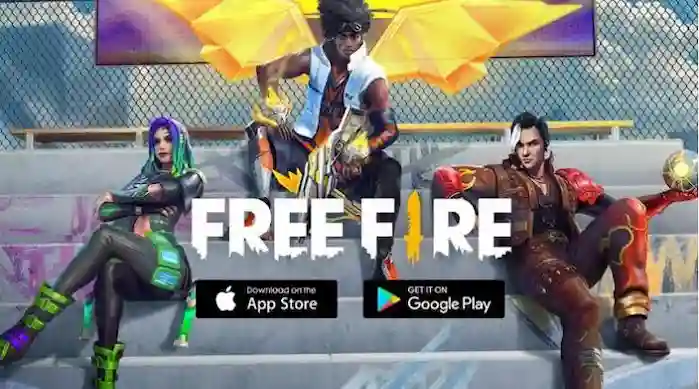
Characters add variety to Free Fire by giving players different abilities and gameplay options. Rather than choosing a character only because of appearance, players should understand how its ability fits their preferred strategy.
Popular Free Fire Characters
Free Fire features a collection of characters with different backgrounds, appearances and abilities.
Some players prefer characters that support aggressive combat, while others choose options that help with survival, movement or team support.
Character availability and abilities can change through game updates, so check the current in-game descriptions before making a selection.
Active and Passive Character Abilities
Character abilities generally include active and passive effects.
Active abilities require players to activate them under the available conditions. Passive abilities provide their effects automatically or when their specified conditions are met.
Understanding these differences can help you decide which characters are suitable for your gameplay.
How to Choose the Right Character
Consider your preferred role before choosing a character.
- Aggressive players may prefer abilities that support combat.
- Defensive players may look for survival-related benefits.
- Support players may prefer abilities that help teammates.
- Players who move frequently may favour mobility-related abilities.
Best Character Combinations for Different Playstyles
Character combinations can help players build a more suitable gameplay setup.
Consider the following when choosing abilities:
- Select an ability that supports your main strategy.
- Add abilities that complement your preferred role.
- Consider whether you play solo or with a squad.
- Test the combination in actual matches.
- Adjust your setup when your strategy changes.
The best combination depends on the current character system, available abilities and your personal playstyle.
Garena Free Fire Weapons and Equipment
Weapons are essential for surviving encounters in Free Fire. Each weapon category serves a different purpose, and choosing the right equipment can make a significant difference during a match.
Assault Rifles
Assault rifles are commonly used for medium-range combat. They can be useful when fighting opponents across open areas or around buildings.
Players should consider recoil, firing speed, accuracy and ammunition when choosing an assault rifle.
Submachine Guns
Submachine guns are generally suited to close-range encounters. Their handling and firing characteristics can make them useful when moving through buildings or fighting at short distances.
Shotguns
Shotguns are designed for close-range combat. They can deal substantial damage when used effectively at short distances, but players need to consider their limited effective range.
Sniper Rifles
Sniper rifles are designed for long-range engagements. They allow players to target opponents from a distance, especially when suitable positioning and visibility are available.
Accuracy, timing and awareness are important when using these weapons.
Pistols and Other Weapons
Pistols and other secondary weapons can provide additional options when a primary weapon is unavailable or unsuitable.
Their usefulness depends on the weapon’s characteristics and the situation.
Melee Weapons
Melee weapons provide close-range alternatives and can also be part of the game’s cosmetic and collection systems.
Players should understand their limitations and avoid unnecessary close-range engagements when opponents have firearms.
Weapon Skins and Their Customisation
Weapon skins change the appearance of firearms, and certain skins may include attributes that affect weapon performance.
Read the in-game skin information carefully before choosing one.
How to Choose the Right Weapon
Consider these factors when selecting weapons:
- Your preferred combat distance.
- Weapon recoil and accuracy.
- Ammunition availability.
- Your current position on the map.
- Whether you are playing solo or with teammates.
A balanced weapon combination can help you handle different combat situations.
Garena Free Fire Maps and Locations
Maps are an important part of Free Fire because they influence movement, positioning and combat decisions.
Each available map can provide different environments and tactical opportunities. Learning the layout can help players find useful equipment, avoid dangerous locations and plan better rotations.
Bermuda Map
Bermuda is one of the best-known maps associated with Free Fire. It offers a mixture of buildings, open areas and different routes.
Players should learn its major locations and identify suitable landing areas based on their preferred strategy.
Purgatory Map
Purgatory provides another battlefield environment with different terrain and positioning opportunities.
Players should consider the available cover and routes when moving between locations.
Kalahari Map
Kalahari features a desert-inspired environment. Its terrain and open areas can influence how players approach movement and combat.
Alpine Map
Alpine offers a different visual environment and a range of locations to explore.
Understanding the available routes and surrounding structures can help players make better tactical decisions.
NexTerra Map
NexTerra introduces another environment with its own layout and gameplay considerations.
Players should explore the available locations and learn how to move safely between areas.
Landing Locations and Survival Strategies
Choosing where to land can affect the beginning of a match.
Consider the following:
- Select locations according to your confidence and experience.
- Avoid crowded areas if you prefer a slower start.
- Search buildings for useful equipment.
- Watch nearby opponents before collecting supplies.
- Plan your next movement according to the safe zone.
Map availability and gameplay environments can change with updates and limited-time events. Check the current game before relying on a particular map or location.
Game Modes in Garena Free Fire
Free Fire offers different game modes to suit players who enjoy survival matches, team competition and other activities.
Battle Royale Mode
Battle Royale focuses on survival. Players collect equipment, fight opponents and attempt to remain alive until the match ends.
It requires map awareness, equipment management and good decision-making.
Clash Squad Mode
Clash Squad is a team-based mode that focuses on shorter rounds and tactical combat.
Players work together and select equipment according to the available match system. Team coordination, weapon selection and positioning are important for winning rounds.
Solo Gameplay
Solo gameplay allows players to compete independently.
Without teammates to provide assistance, players need to manage their own equipment, positioning and combat decisions.
Duo and Squad Gameplay
Duo and squad matches allow players to cooperate with friends or other participants.
Team communication and coordination can improve the overall experience. Players should support their teammates and avoid unnecessary separation during important encounters.
Custom Room Matches
Custom rooms provide opportunities to organise private matches. They can be useful for friendly competitions, practice sessions and community activities.
Limited-Time Game Modes and Events
Garena regularly introduces special events and activities. Some modes and rewards are available for limited periods, so players should check official announcements and in-game event information.
How to Download and Install Garena Free Fire
Players should download Free Fire through authorised distribution channels. This helps reduce the risk of installing modified applications or files containing harmful software.
The official Free Fire FAQ identifies Google Play for Android and the Apple App Store for iOS.
How to Download Free Fire on Android
Follow these steps:
- Open the Google Play Store on your Android device.
- Search for Garena Free Fire.
- Check the developer and application details.
- Make sure your device meets the available requirements.
- Tap the Install option.
- Wait for the installation to finish.
- Open the game and follow the on-screen instructions.
If the game is unavailable in your region, check the official Garena website for regional availability and authorised alternatives.
How to Download Free Fire on iOS
iPhone and iPad users can check the Apple App Store.
- Open the App Store.
- Search for Garena Free Fire.
- Check the application listing and developer information.
- Confirm that your device is compatible.
- Tap Get to begin installation.
- Wait for the download to complete.
- Open the game and follow the setup instructions.
Availability may vary by country and current regional distribution arrangements.
How to Play Free Fire on PC
Free Fire is primarily a mobile game rather than a native desktop release.
Some players use Android emulators to run mobile applications on compatible computers. However, emulator compatibility and support can vary.
Before using an emulator:
- Check its compatibility with your computer.
- Download it from its official website.
- Check Garena’s current rules and supported configurations.
- Avoid modified game clients and unauthorised scripts.
- Use your account responsibly.
How to Check the Latest Available Version
The easiest way to check for an update is through your device’s authorised app store.
Open the game’s listing and check whether an update is available. You can also follow official Garena announcements for information about new releases and maintenance.
Important Safety Considerations Before Installing APK Files
Not every website offering a Free Fire APK is trustworthy.
Garena advises players to use authorised app stores or its official download channels. Unauthorised APK files and modified applications can expose your device or account to security risks.
Never install an application simply because a website promises unlimited diamonds, free premium items or special gameplay advantages.
How to Play Garena Free Fire – Beginner’s Guide
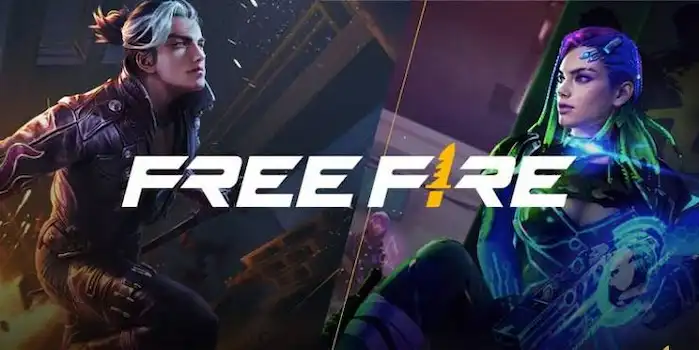
New players may initially find Battle Royale matches challenging. Learning the basic controls and understanding the battlefield can make the experience easier.
Understanding the Game Controls
Spend some time learning the movement, aiming, shooting and equipment controls.
Adjust the control layout to a comfortable position and practise basic movements before entering competitive matches.
Choosing Your Landing Location
Your landing location can influence how quickly you encounter opponents.
If you are a beginner, consider choosing an area where you can collect equipment without immediately entering several fights.
As you gain experience, you can experiment with more competitive landing locations.
Collecting Weapons and Equipment
Look for suitable weapons, ammunition and protective equipment as soon as you land.
Avoid carrying equipment that does not support your strategy. Choose weapons that match the distances at which you prefer to fight.
Understanding the Safe Zone
Always check the safe-zone indicator.
If you remain outside the playable area, you may take damage. Plan your movement early instead of waiting until the zone becomes difficult to reach.
Surviving Your First Matches
Survival requires more than shooting accurately.
Pay attention to nearby opponents, use available cover and avoid exposing yourself unnecessarily. Sometimes repositioning is a better decision than starting another fight.
Working with Your Squad
If you play in a team, communicate with your teammates and share useful information.
Try to stay close enough to support one another. A coordinated squad can respond more effectively when opponents attack.
Garena Free Fire Tips and Tricks
Improving your gameplay takes practice, awareness and an understanding of the game’s mechanics.
Tips for Improving Aim and Accuracy
- Practise aiming in suitable training areas.
- Adjust sensitivity settings according to your device.
- Learn how different weapons behave.
- Avoid firing continuously when controlled shots are more appropriate.
- Focus on positioning before engaging opponents.
How to Improve Movement and Positioning
Movement is important during combat.
Use cover, avoid predictable movement and change positions when opponents know your location. Understanding the surrounding environment can help you avoid unnecessary damage.
Choosing Better Weapon Combinations
Choose weapons that cover different combat distances.
For example, a close-range weapon combined with a weapon suited to medium-range encounters may offer greater flexibility.
Character Ability Strategies
Choose abilities that complement your preferred approach.
Aggressive players may prioritise combat-related effects, while defensive or support-oriented players may prefer abilities that improve survival or teamwork.
Tips for Winning Clash Squad Matches
- Coordinate purchases with your team.
- Avoid rushing opponents without support.
- Use cover during engagements.
- Communicate enemy positions.
- Adapt your weapon choices to the match situation.
How to Improve Overall Gameplay
Review your mistakes after each match.
Consider whether you landed in a suitable area, selected appropriate equipment and moved safely through the map. Small improvements in decision-making can make a noticeable difference over time.
Garena Free Fire on Low-End Devices
Not every player has access to a high-performance smartphone. Fortunately, players can make several adjustments to improve their experience on devices with limited hardware resources.
Recommended Graphics Settings
If your device struggles with performance, try lowering graphics settings where available.
A lower graphics setting may help reduce the processing load and make gameplay more stable.
How to Reduce Lag and Improve FPS
Try these steps:
- Close unnecessary background applications.
- Make sure your device has enough free storage.
- Use a stable internet connection.
- Avoid playing while your device is overheating.
- Lower graphics settings if necessary.
- Keep the game and operating system updated.
Remember that network lag and low frame rates are different problems. A poor internet connection may cause delays even when the game runs smoothly.
Managing Storage and Background Apps
Free up storage by removing unnecessary files and applications.
Also, avoid running several demanding applications while playing. This can help your device allocate more resources to the game.
Improving Game Performance on Older Phones
Older devices may struggle with newer game updates.
If performance remains poor after adjusting settings, check whether your device still meets the current requirements. Not every performance issue can be fixed through configuration changes alone.
Free Fire Updates, Skins and Events
Garena introduces updates, events and collaborations that can add new activities and content to Free Fire.
Players should follow official announcements to learn about confirmed changes instead of relying entirely on rumours or unofficial social media posts.
Latest Free Fire Updates
Game updates may include gameplay adjustments, bug fixes, new content and other improvements.
Before installing an update, check the official app-store listing and Garena announcements for relevant information.
New Character and Weapon Releases
New characters and weapons can introduce different gameplay possibilities.
Read their in-game descriptions to understand their abilities and characteristics before deciding whether they suit your playstyle.
Upcoming Skins and Bundles
Skins and bundles allow players to customise their characters and equipment.
Some items may appear through special events, collections or other in-game activities. Release dates and availability can vary by region.
Seasonal Events and Rewards
Seasonal events can include missions, rewards, collaborations and limited-time activities.
Check the event section inside the game to see the current requirements and available rewards.
How to Find Official Free Fire Announcements
For reliable information, use:
- The official Free Fire website.
- Garena’s official social media accounts.
- The game’s in-app announcements.
- Official regional support pages.
Always distinguish confirmed announcements from leaks and predictions.
Old Free Fire vs Modern Free Fire
Free Fire has evolved through updates, new content and changes to its gameplay systems.
Players who remember earlier versions may notice differences in the game’s presentation, available characters, weapons and overall experience.
Changes in Gameplay Experience
The game has developed through updates that introduce new content and adjustments. Older and newer versions may offer different experiences depending on the features available at the time.
Character System Evolution
The character system has expanded over time, giving players more options for building different gameplay strategies.
New abilities and balance adjustments can also influence how players choose their characters.
Graphics and Visual Improvements
Visual presentation has changed through game updates and the introduction of Free Fire MAX.
The MAX version specifically focuses on enhanced visual effects and presentation for compatible devices.
Weapons and Map Changes
Weapons, equipment and maps can receive adjustments through updates.
These changes may influence weapon preferences, landing strategies and combat decisions.
How Free Fire Has Evolved Over Time
The evolution of Free Fire reflects changes in mobile gaming technology and player expectations.
Although some players prefer the simplicity of earlier experiences, others enjoy the additional content and visual improvements available today.
Is Garena Free Fire Safe to Download and Play?
Free Fire can be downloaded through authorised distribution channels, but players should still follow good security practices.
The biggest risks often come from unofficial APKs, fake rewards, suspicious websites and attempts to steal account information.
Downloading Free Fire from Trusted Sources
Use Google Play, the Apple App Store or another authorised distribution channel supported by Garena in your region.
Avoid downloading modified versions from unknown websites.
Protecting Your Free Fire Account
Garena recommends protecting linked accounts, using strong passwords and enabling two-step verification where available.
Players should also avoid sharing their login information and should use the official game client.
Avoiding Fake APKs and Modified Applications
Be careful with websites that advertise:
- Unlimited diamonds.
- Free premium accounts.
- Unlocked characters and items.
- Special hacks and scripts.
- Modified applications with guaranteed advantages.
Such offers may be fraudulent or violate the game’s rules.
Recognising Fake Diamond and Giveaway Offers
Not every giveaway or diamond promotion is official.
Check announcements through verified Garena channels and never share your password or verification codes to claim a reward.
Safe Account and Device Practices
Bind your guest account to a supported platform account where possible, keep your recovery information secure and monitor unusual account activity.
If you notice unfamiliar logins, change the password of your linked platform account and follow Garena’s account-protection guidance.
Common Garena Free Fire Problems and Their Solutions
Players may occasionally experience technical problems while installing, updating or playing Free Fire.
The correct solution depends on the device, operating system and exact error message.
Free Fire Crashing or Closing Unexpectedly
If the game crashes:
- Restart your device.
- Close unnecessary background applications.
- Check available storage.
- Install available game updates.
- Make sure your device meets the current requirements.
If the problem continues, contact Garena support.
Free Fire APK Not Installing
An installation failure may occur because of insufficient storage, incompatible software, an incomplete download or a conflicting application package.
Try downloading the application again from an authorised source and check your device’s compatibility.
Low FPS and Lag Issues
Low FPS can result from hardware limitations, overheating or demanding graphics settings.
Try reducing graphics quality and closing unnecessary applications.
If the game itself runs smoothly but opponents appear to move with delays, check your internet connection.
Connection and Server Problems
Connection errors can occur because of unstable internet access, maintenance or server-side issues.
Try switching between available network connections and check official announcements for maintenance information.
Game Update and Download Errors
Make sure your device has sufficient storage and a stable internet connection.
If an update fails, restart the device and try again through the authorised app store.
Login and Account Access Problems
Check that you are using the correct linked account and login method.
If you suspect that someone else has accessed your account, follow Garena’s account-security instructions and contact its official support team.
Advantages and Disadvantages of Garena Free Fire
Like other online multiplayer games, Free Fire has strengths and limitations. Whether it is suitable for you depends on your device, preferences and expectations.
Advantages of Free Fire
- Short and engaging battle royale matches.
- Different characters with individual abilities.
- Multiple weapon categories and customisation options.
- Solo and team-based gameplay.
- Regular events and additional activities.
- Mobile-focused controls and gameplay.
Limitations of Free Fire
- Requires an internet connection for online gameplay.
- Performance varies across devices.
- Some cosmetic and in-game items require purchases.
- Competitive matches can be challenging for beginners.
- Unofficial downloads and fraudulent offers create security risks.
- Updates may change gameplay balance and compatibility.
Pros & Cons
Like every online multiplayer game, Garena Free Fire has its own strengths and limitations. It offers fast-paced gameplay, different characters and multiple game modes, but the overall experience can depend on your device, internet connection and personal preferences.
Pros of Garena Free Fire
- Short Matches: Battle Royale matches are designed to provide an engaging experience in a relatively short time.
- Different Characters: Players can choose characters with unique abilities to match their preferred playstyles.
- Multiple Game Modes: Battle Royale, Clash Squad and other available modes offer different gameplay experiences.
- Weapon Variety: Different weapon categories allow players to experiment with various combat strategies.
- Customisation Options: Character outfits, weapon skins, pets and emotes provide ways to personalise the game.
- Team Gameplay: Players can enjoy matches with friends and coordinate strategies in squad-based battles.
- Mobile-Friendly Experience: The game is designed specifically for mobile gaming, with customisable controls and graphics settings.
Cons of Garena Free Fire
- Internet Required: An active internet connection is necessary for online gameplay.
- Device Limitations: Performance may vary depending on your smartphone’s hardware and operating system.
- In-App Purchases: Some cosmetic items and premium content require diamonds or other in-game purchases.
- Competitive Difficulty: Beginners may find it challenging to compete against more experienced players.
- Performance Issues: Lag, overheating and low FPS can affect gameplay on some devices.
- Frequent Changes: Updates and balance adjustments may change weapons, characters and gameplay strategies.
FAQS
What Is Garena Free Fire?
Garena Free Fire is a free-to-play online multiplayer battle royale game developed and published by Garena. Players collect equipment, fight opponents and attempt to survive until the end of a match.
Is Garena Free Fire Free to Play?
Yes. Free Fire is free to download and play through supported distribution channels. However, it includes optional in-game purchases, including diamonds and cosmetic items.
What Is the Difference Between Free Fire and Free Fire MAX?
Free Fire MAX offers enhanced graphics, visual effects and presentation compared with the standard Free Fire experience. Both versions are part of Garena’s Free Fire ecosystem.
How Many Players Participate in a Battle Royale Match?
Free Fire is known for its 50-player, approximately 10-minute Battle Royale format. Match settings and special modes may differ.
Can I Play Garena Free Fire on PC?
Free Fire is primarily a mobile game. Some players use Android emulators to run it on computers, but compatibility and support may vary. Check Garena’s current rules before using an emulator.
Is Free Fire Available for iOS?
Yes. Free Fire is distributed through the Apple App Store in supported regions. Check your local store for availability and device compatibility.
How Do I Find My Garena Free Fire ID?
Open the game and visit your player profile. Your player ID or UID is displayed in your profile information. You can use the available copy option to save it.
Does Free Fire Work on Low-End Android Phones?
Free Fire is designed for mobile devices, but performance depends on the phone’s hardware and current game requirements. Lower graphics settings may help compatible lower-end devices run the game more smoothly.
How Can I Update Garena Free Fire?
Open Google Play or the Apple App Store, find the Free Fire listing and check whether an update is available. Follow the installation instructions to update the application.
Where Can I Find Official Free Fire News?
Visit the official Free Fire website, follow Garena’s verified social media accounts and check announcements inside the game for updates, events and other important information.
Conclusion
Garena Free Fire remains an engaging choice for players who enjoy fast-paced mobile battle royale games. Its combination of short matches, character abilities, weapon variety, different maps and team-based gameplay provides several ways to enjoy each match.
Whether you prefer playing solo, competing with friends in Clash Squad or improving your Battle Royale skills, the game offers different experiences for various playstyles. Free Fire MAX also provides an enhanced visual experience for players with compatible devices.
Before downloading, make sure you use an authorised source and check your device’s compatibility. Keep your game updated, protect your account information and avoid unofficial APKs or suspicious offers.
Overall, Garena Free Fire is worth exploring if you enjoy competitive mobile shooting games and survival-based challenges. Learn the controls, experiment with different characters and weapons, and develop your own strategy to improve your gameplay.